- contact@verticalserve.com
InsightKeys · just-in-time access
Nobody keeps the keys. Everyone gets in when the work needs it.
Standing admin is the access an attacker inherits with a stolen password. InsightKeys replaces it with access that is asked for in one sentence, cut down to the least privilege that does the job, approved in seconds when the risk is low and by the right people when it is not, and removed on time by a broker that runs in your network.
- Every grant ends on its own
- Your credentials stay in your network
- Every risk score explains itself
Grants in the systems you already run, approvals where your people already are
AWS IAM Identity CenterAWS IAMPostgreSQLKubernetes
SlackDuoAuthenticator appsOkta · Entra ID · Google (sign-in)
InsightAssure evidenceInsightFortify identity analysis
The problem
Access is granted for a moment of need and kept for years
Someone needed production access for an incident in 2024. They still have it. So does the contractor who left, the deployment role nobody remembers and the “temporary” database superuser. Each is reasonable on the day it is granted. Together they are the blast radius of the next stolen password.
Standing privilege
The access an attacker inherits
Stolen and misused credentials are among the most common ways breaches start. What happens next depends on what that identity can do at that moment — and for standing administrators, the answer is everything.
Rubber stamps
Approvals nobody reads
When every request needs a manager’s click, the click becomes automatic. Engineers wait, approvers approve, and the one risky request looks exactly like the hundred routine ones before it.
Too wide, unwatched
Roles built for the widest need
Pre-built roles make every request as broad as the broadest one anyone ever had. “Read the logs” becomes ReadOnlyAccess on the whole account, and nobody checks what the person actually did with it.
For security and engineering leaders
Less standing risk, faster engineers, an audit you can answer
Just-in-time access is usually sold as a security control and resented as a speed bump. InsightKeys is designed so that the safe path is also the fast one: low-risk requests are approved in seconds, risky ones go to the people who can judge them, and nobody has to remember to take anything away.
The records that come out of it — who asked, why, who decided, what was granted, what was done with it and when it ended — are exactly what an auditor samples.
The business case for just-in-time accessZerostanding administrators as the target state — discovery finds them, agents propose the conversion, the broker removes them
Secondsto access for low-risk requests: on-call, read-only, an open incident, inside the flow’s allowance
On timeevery grant ends at its expiry, revoked by the broker’s own clock even if our service is unreachable
In wordsevery request, decision, grant, revoke and agent action, with who and when — exported as evidence to InsightAssure
How it works
Ask → Scope → Decide → Grant → Watch → Expire
One lifecycle for every system. Agents do the preparation and the routine decisions; people decide what is risky; the broker does the granting and the removing inside your network.
1
Ask
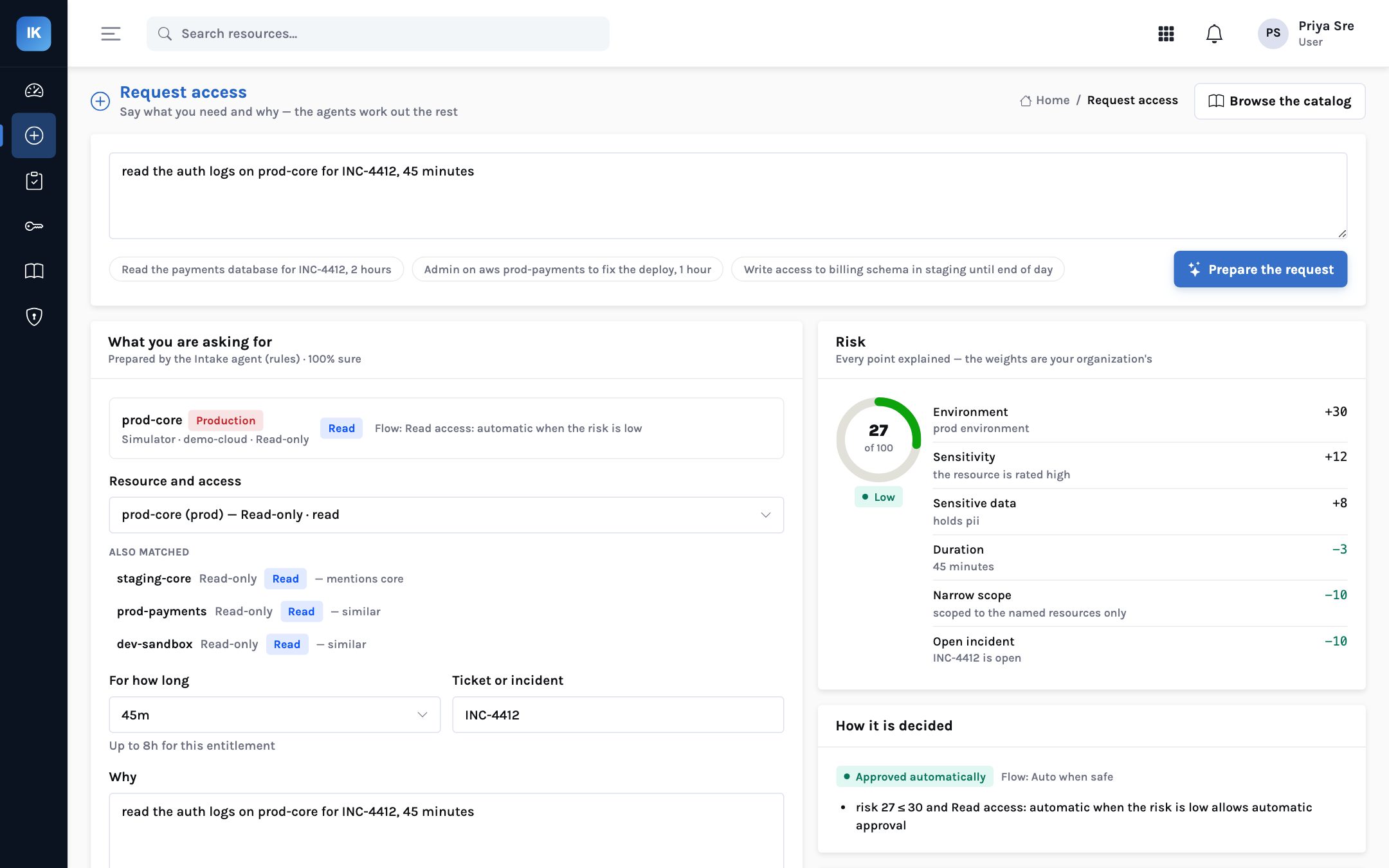
One sentence in the console, Slack or the CLI. The Intake agent finds the resource in your catalog, the level, the duration and the ticket. It never invents a resource.
2
Scope
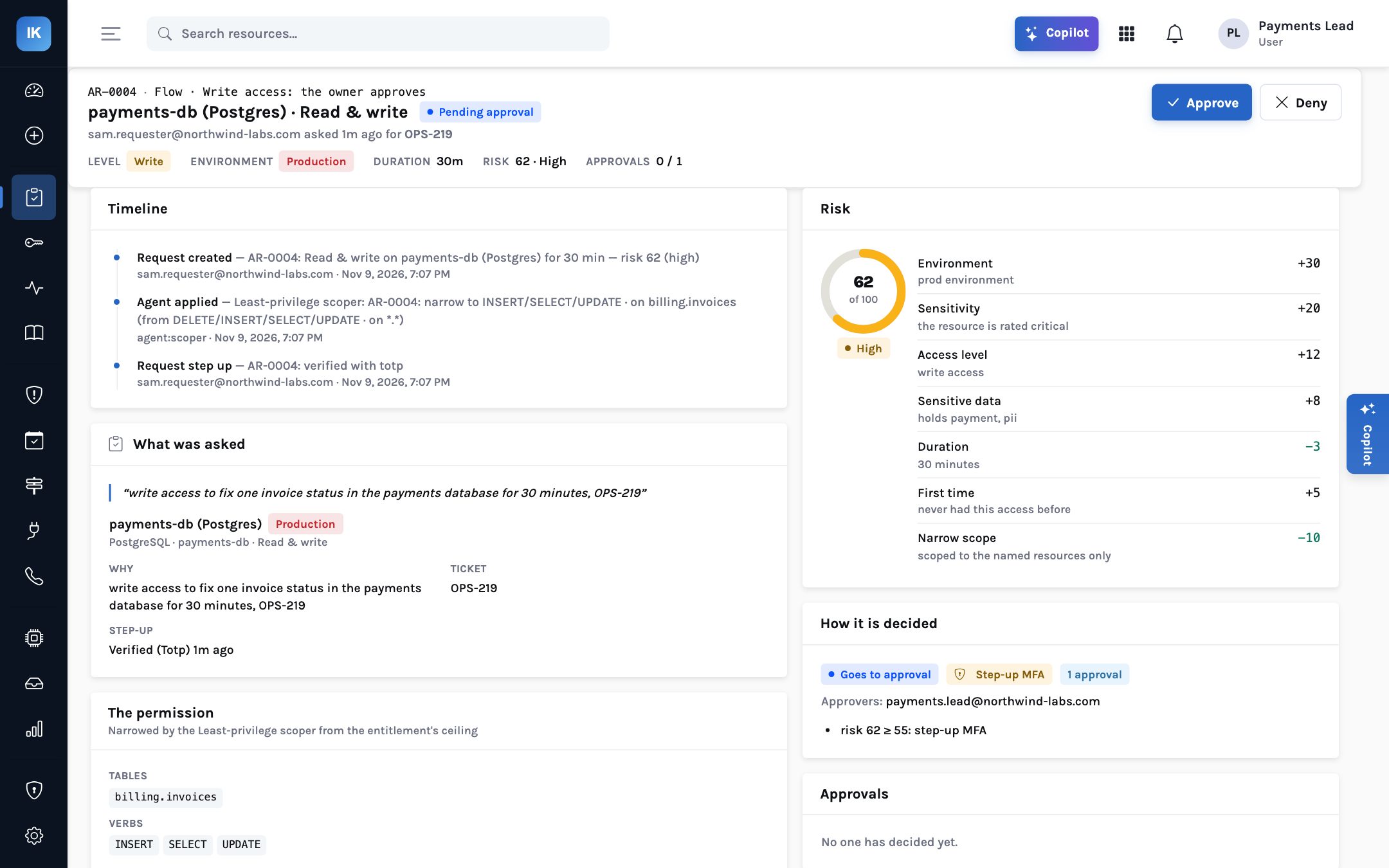
The Scoper writes the narrowest permission that does the job: from the request’s words, inside the entitlement’s ceiling, using what similar grants actually used.
3
Decide
An explained risk score and your access flows decide: approved on the spot, the resource owner, a second factor first, or two people who are not the requester.
4
Grant
A signed instruction goes to the broker in your network, which creates exactly that access in AWS, PostgreSQL or Kubernetes — after checking your local policy.
5
Watch
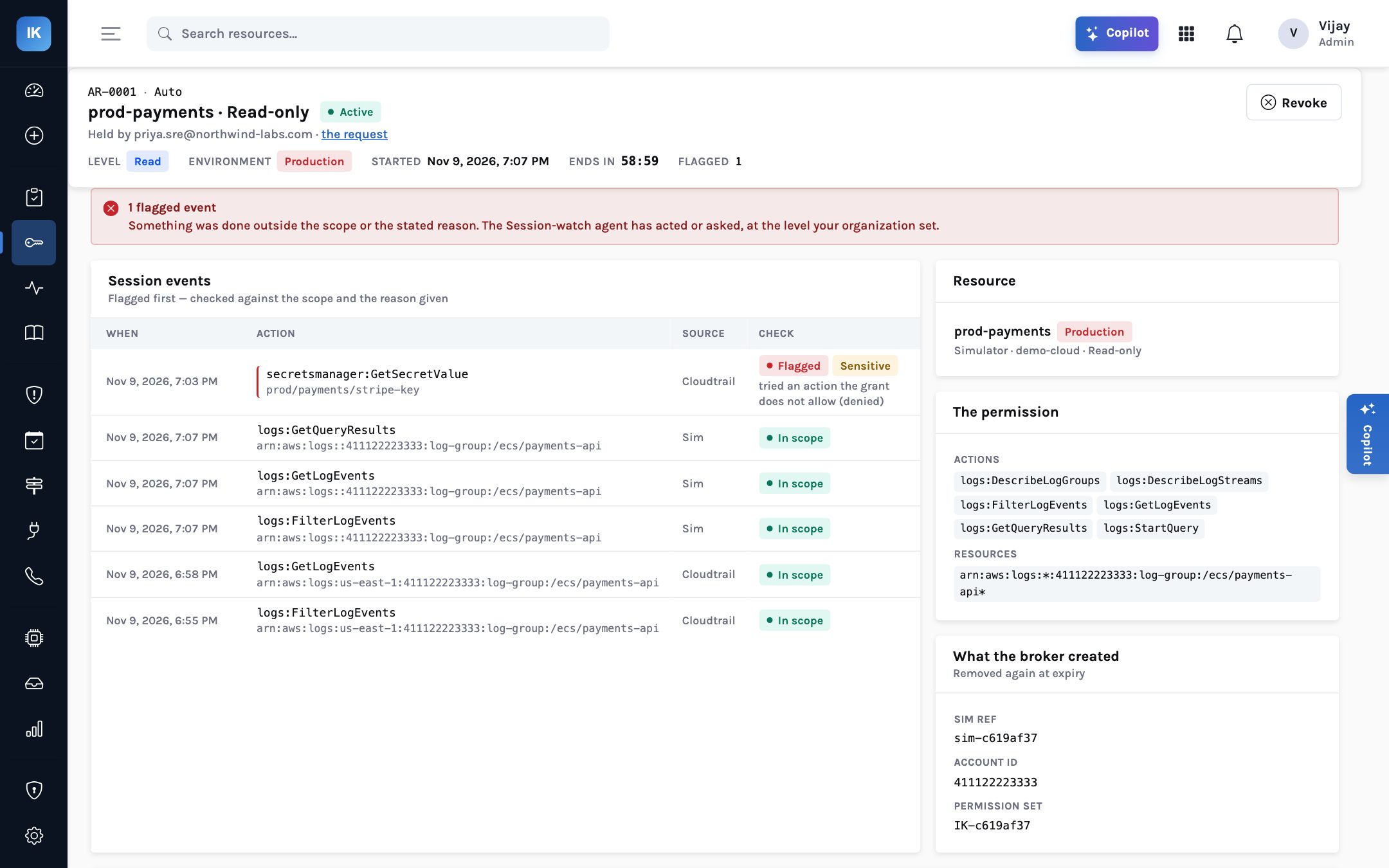
Session watch compares what the person does with what they asked for. Out-of-scope or sensitive actions are flagged and, at the level you choose, cut off.
6
Expire
The broker removes the access at expiry on its own clock. An extension is a new, smaller request. Everything lands in the audit trail and the next access review.
Least privilege, written per request
Least privilege, written per request
“Look at the payments-api logs” should not mean ReadOnlyAccess on the account
Most access tools hand out a role an administrator built months ago. InsightKeys writes the permission for this request and shows you what it removed.
The entitlement’s ceilingRead-only on prod-payments
*:Describe* *:Get* *:List* cloudwatch:GetMetricData on every resource in the account
What the Scoper granted for AR-0001Six log actions on one log group, for one hour
logs:FilterLogEvents logs:GetLogEvents and four more, on /ecs/payments-api* only
Approvals that match the risk
A score anyone can read, and a route that follows from it
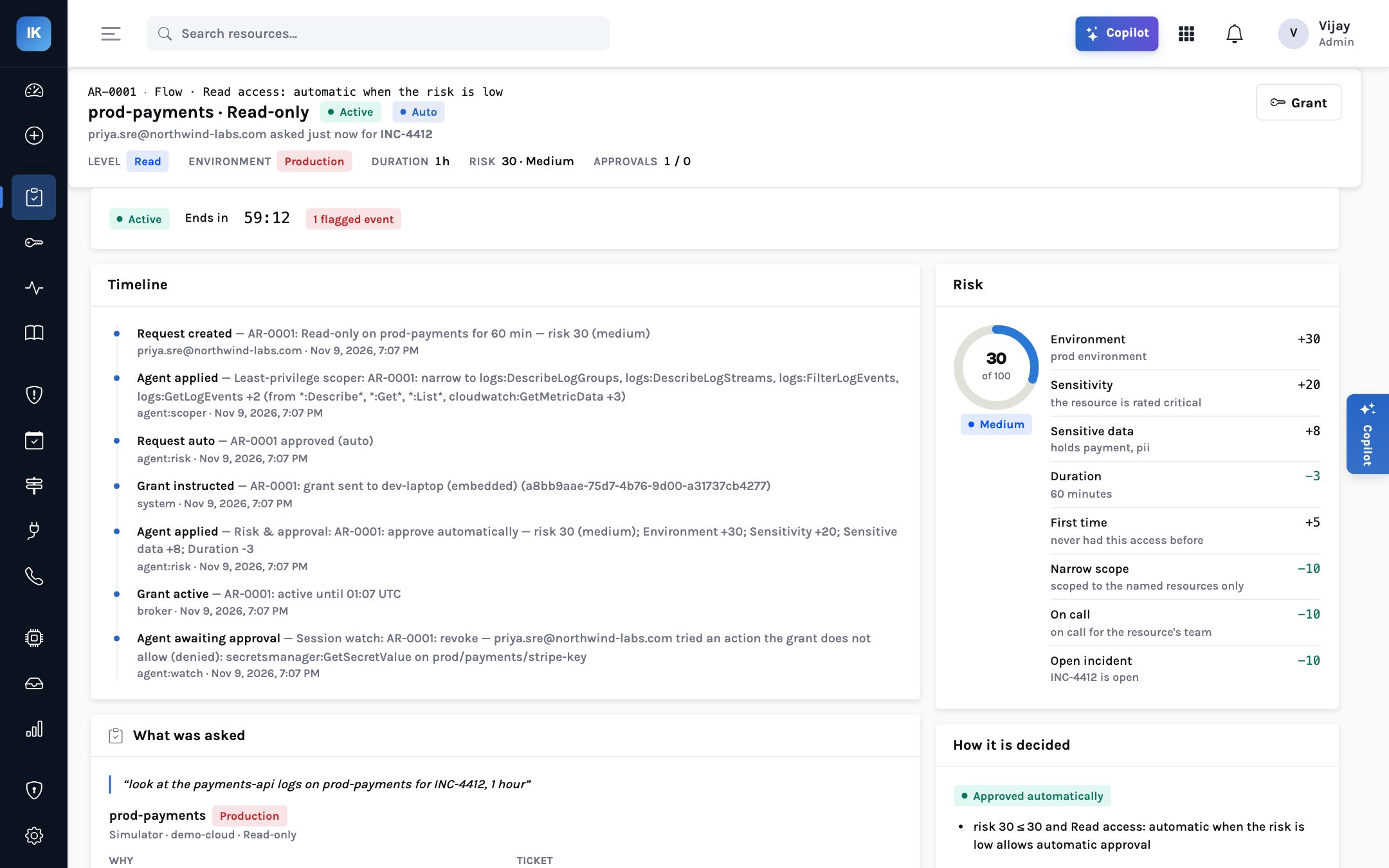
Every point has a reason. The weights and thresholds are yours to change. Low risk is approved in seconds so that the approvals people do see are worth reading.
AR-0004 · fix one invoice in the payments database
Why this request needs a second factor and its owner
- Productionthe environment+30
- Critical resourcethe payments database+20
- Write accessINSERT, SELECT, UPDATE+12
- Sensitive datapayment and personal data+8
- First timenever had this access before+5
- Thirty minutesshort grants score lower−3
- Narrow scopeone table: billing.invoices−10
- Score → step-up, then the owner62
| Score | Default route | Typical example |
|---|---|---|
| 0–30 | Approved automatically, where the flow allows it | On-call SRE reading service logs during an open incident |
| 31–54 | The resource owner (or named approvers) | Metrics on a high-sensitivity account outside an incident |
| 55–74 | A second factor first — Duo push or authenticator code — then the approver | Writing to a table in the production payments database |
| 75+ | Two approvers, neither of them the requester, after the step-up | Administrator on a production account |
The broker
We never hold the keys to your systems
A product that changes production permissions is a target. So the only credential that can grant access lives in a small broker you run in your own network. It connects out, obeys only instructions signed with your organisation’s key, checks each one against a policy file you own, and takes access away on time even if our service is down.
Our cloud, or yours
Control plane
- Requests, flows, risk, approvals
- Agents and the audit trail
- Signs instructions with your org’s Ed25519 key
- Holds no credential to your systems
broker connects out
signed both ways
signed both ways
Your network
InsightKeys broker
- Holds the only granting credential
- Rejects unsigned, replayed, stale or misaddressed instructions
- Local policy: allowed systems, longest grant, actions never granted, pause switch
- Local ledger: revokes at expiry on its own clock
creates and removes
exactly the grant
exactly the grant
Your systems
Where access lives
- AWS IAM Identity Center permission sets
- AWS IAM roles
- PostgreSQL login roles with VALID UNTIL
- Kubernetes RoleBindings
After the grant
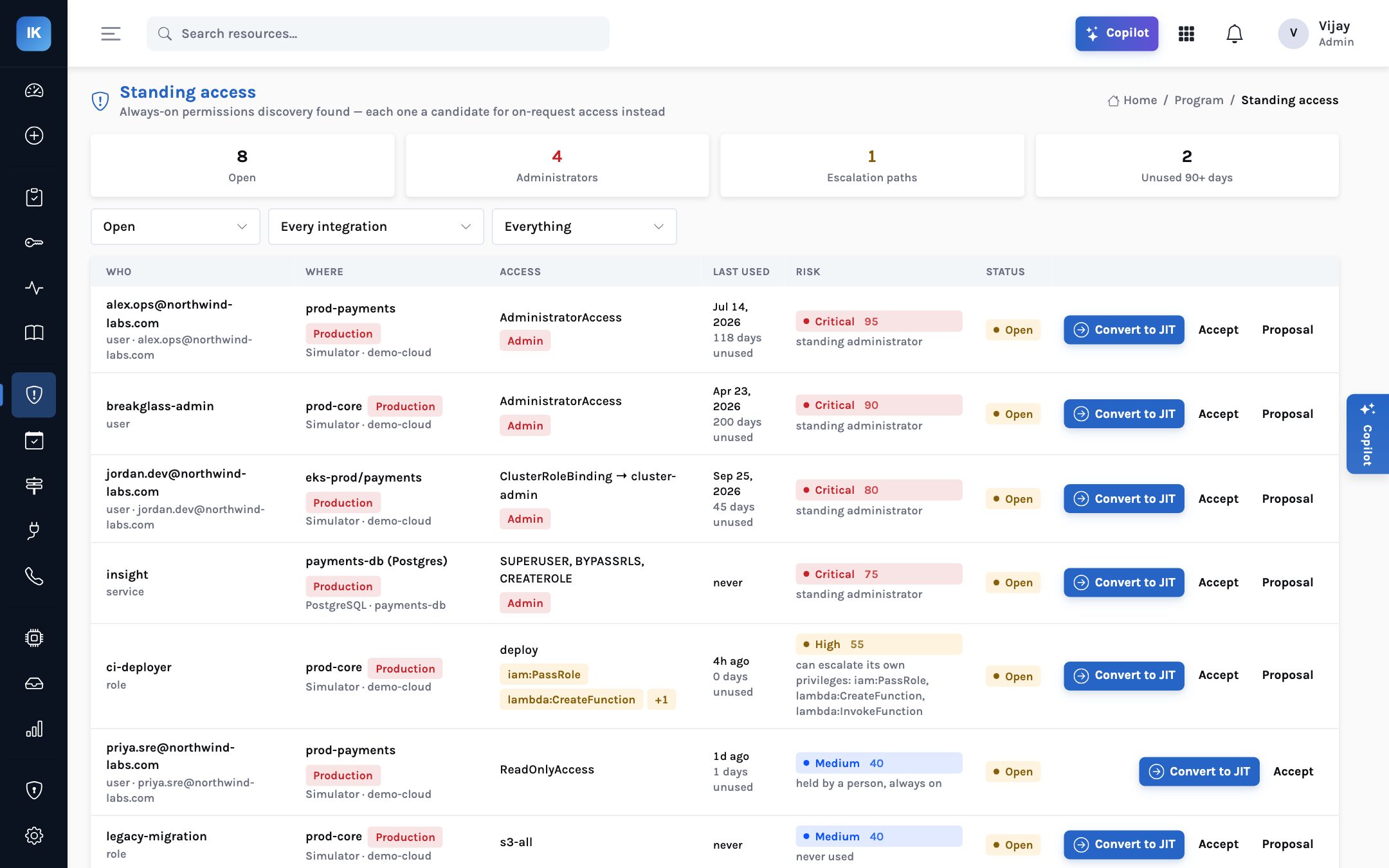
Watch what the access is used for. Then remove what should never have stayed.
Session watch checks every action against the grant and the reason given. The cleanup agent goes after the standing access discovery found, and proposes turning each one into on-request access.
Agents with an autonomy dial
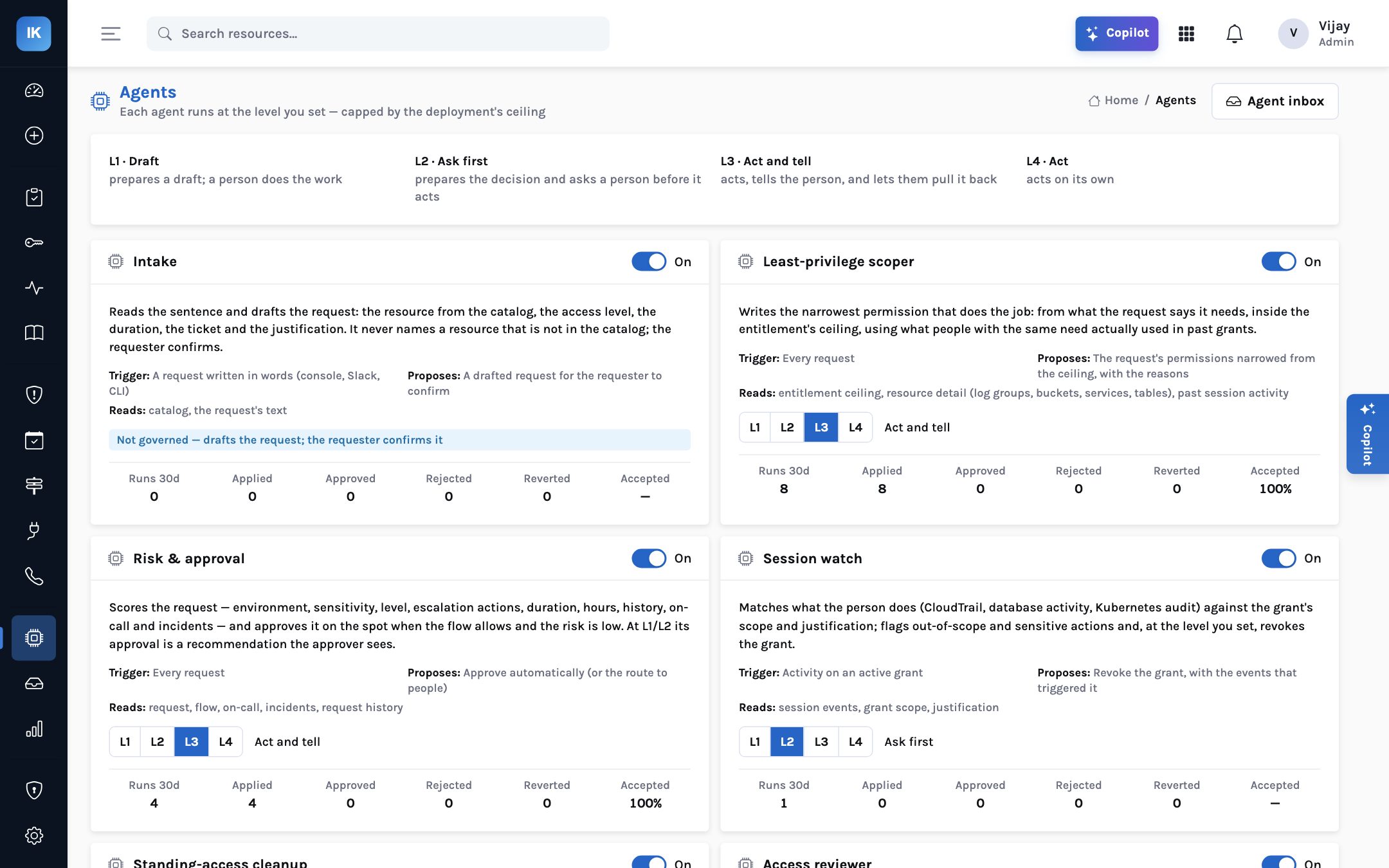
Let agents do the routine. Decide how far they go.
Seven agents prepare, score, watch, clean up and answer questions. Each governed agent runs at the level you choose, and every action is in an inbox where a person can approve, reject or undo it.
- L1 Draft — prepares the change; a person does it
- L2 Ask first — prepares the decision and waits for a person
- L3 Act and tell — acts, tells you, and lets you pull it back
- L4 Act — acts on its own, within a ceiling the deployment sets
For the people accountable
Questions you can answer the same day they are asked
The questions are simple. The data to answer them is usually spread across cloud consoles, database roles, cluster bindings and a ticketing system. InsightKeys keeps it in one record.
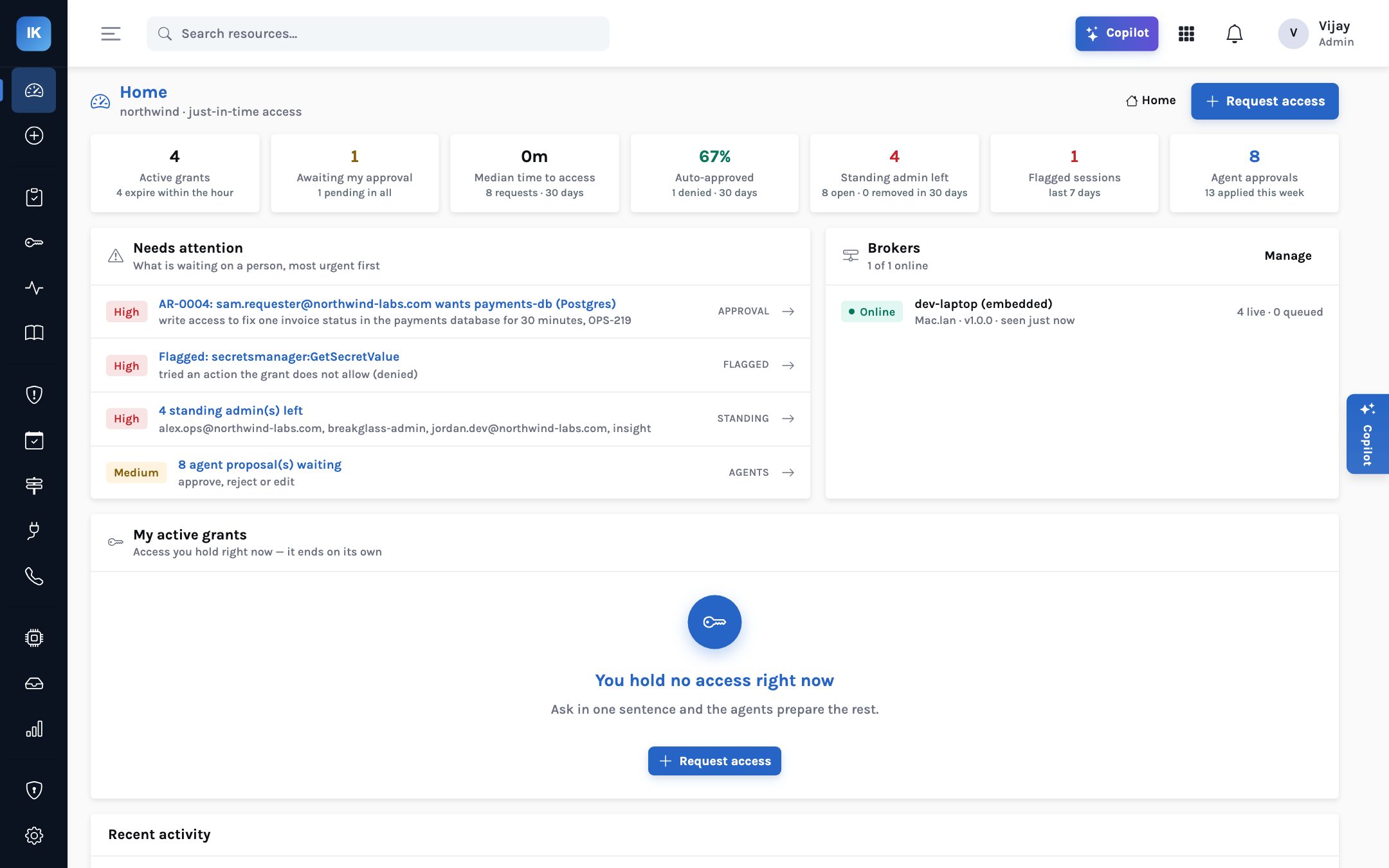
Who has admin right now?
Active grants with time left, standing administrators with last use, and the Copilot answering in plain words with links.
Are we getting safer?
Standing admin left, share approved automatically, time to access, flagged sessions and the risk mix, over time.
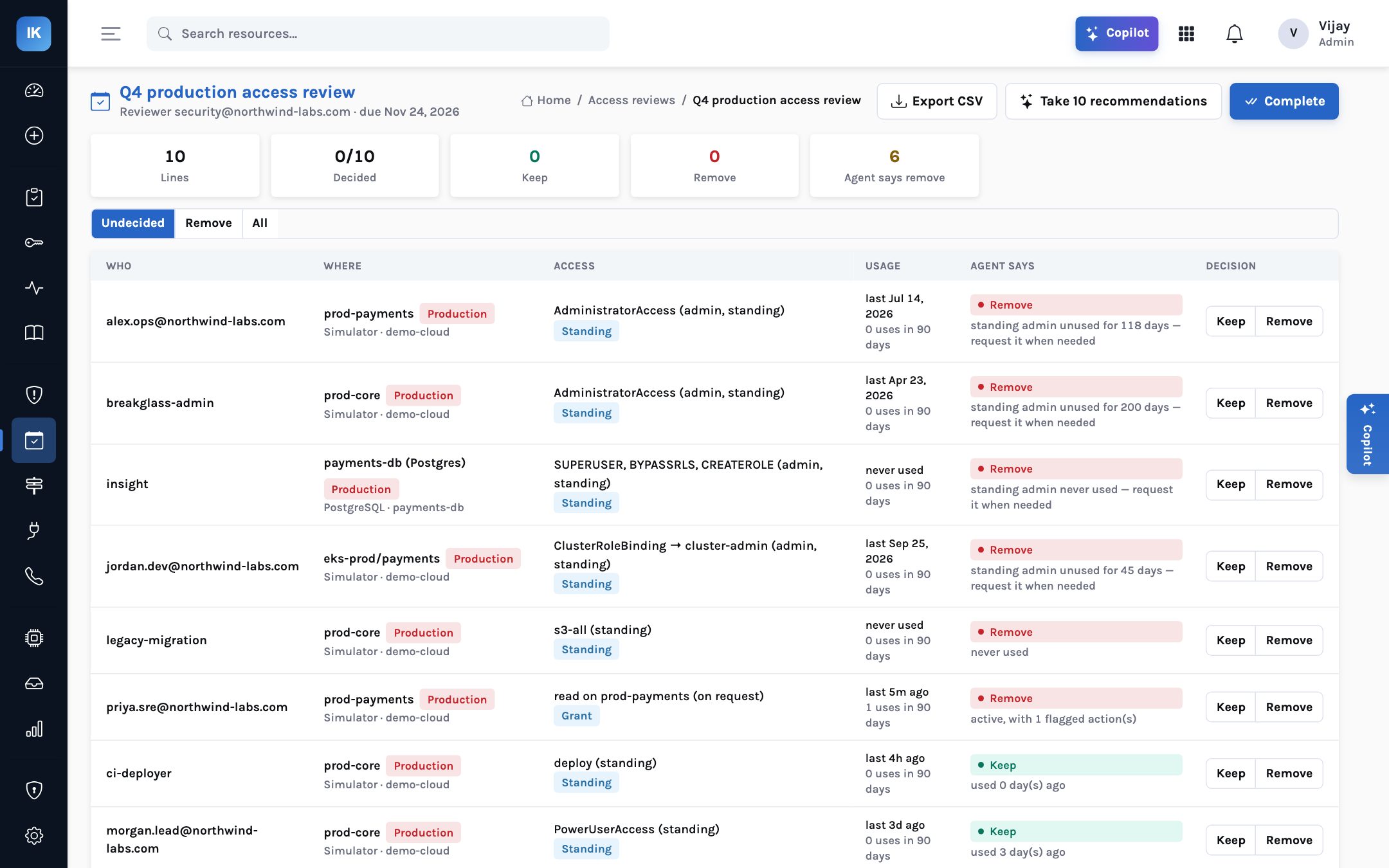
Will the audit pass?
Quarterly access reviews that prepare themselves, removal through the broker, and every decision exported as evidence.
Can engineers still move?
Break-glass for whoever is on call, automatic approval for low risk, and Slack approvals for everything else.
Editions & trust
SaaS or self-hosted. The same broker either way.
Run the control plane in our cloud or yours. The broker, which holds the only credential that can grant access, always runs in your network.
SaaS
Hosted control plane
We run the console and the agents. You install the broker with one docker run and an enrollment token, and connect Slack and your identity provider.
Self-hosted
Your cloud, our images
The same API, console and broker images with a Docker Compose kit, PostgreSQL and your own identity provider. Nothing leaves your network.
Isolation
Tenants kept apart by the database
PostgreSQL row-level security on every tenant table, so a missed filter in application code still returns nothing from another organisation.
Pricing
Per engineer who can ask
Priced per person who can request access, not per resource or per grant, so connecting one more database never changes the bill. Ask us.